I will release on moddb and here, a new version of Dawn of darkness.qrk (as you know, the file which contains everything, that you can make in Quark editor, maps and prefabs).
The release will contain :
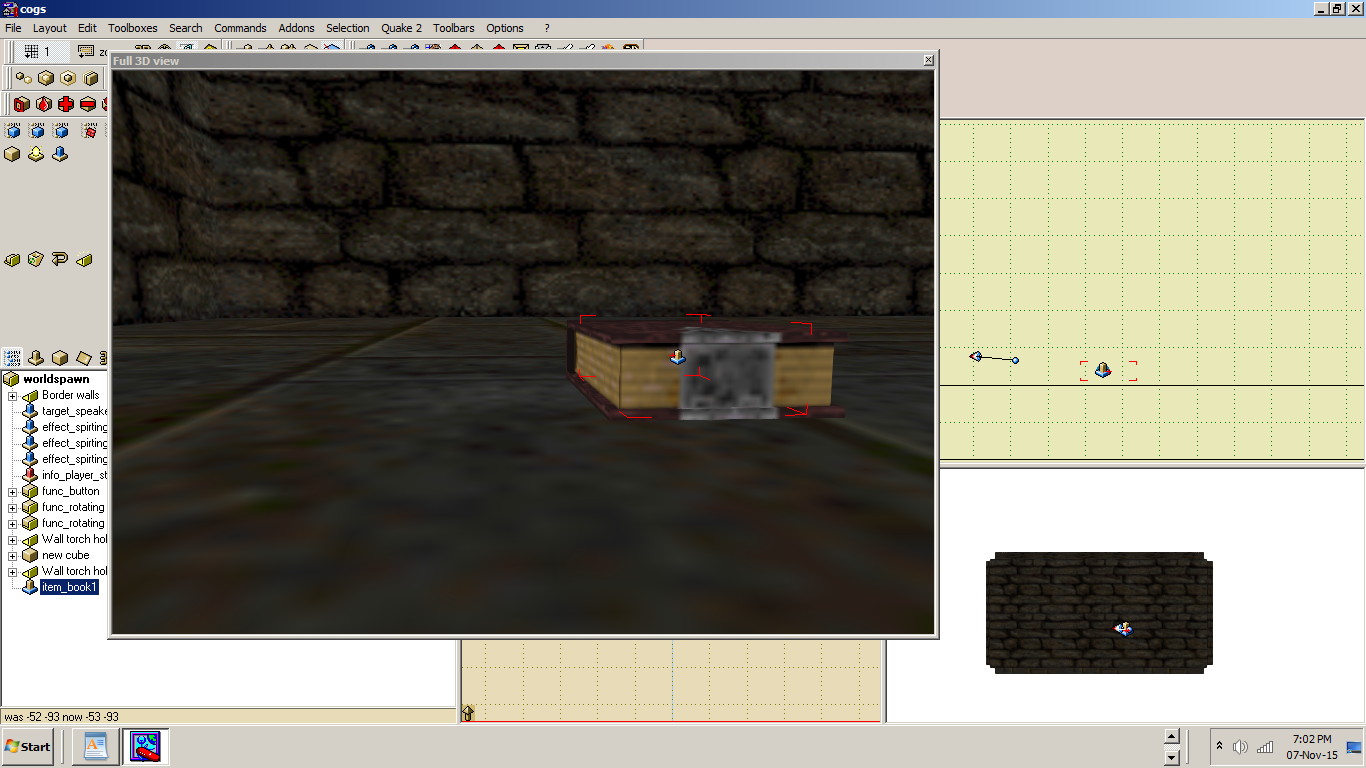
The first image shows a bounding box which was not fixed, in the second image example you can see a bounding box fixed. As i already mentioned, a bounding box is a frame like box around a md2 (Quake 2 model), which shows where exactly you can put a model (on a bookshelf, on a floor etc.), so you will not put it too high or too low.
- Bounding boxes fixed
- Prefabs included and explained. Anssi Hyytiainen prefabs have a "*" on the end of a prefab name. For example, house*. My prefabs and my brother prefabs, doesen't have a "*".
- Functions explained. I'm thinking, that, besides the various explanations of npc (mood name etc.), i should explain functions and many others (func_object, func_wall etc), in next Dawn of darkness.qrk file relese. This have been done before by the Quake 2 community, but i will do it.
08 November 2015
07 November 2015
Any Warzone 2100 players out there ?
I registered one year ago there because i forgot my password and had problems with my email. Had to registered there with the user name Roarkethemerciless.
wz2100 forum
wz2100 forum
05 November 2015
I'm also registered on dfworkshop (daggerfall forum)
I'm also registered on dfworkshop forum under the alias Roarke. There you can find early builds of Daggerfall under unity engine. You can also download tools for map making and you need the free game.
dfworkshop site :
dfworkshop
dfworkshop forum :
dfworkshop forum
The game link :
Daggerfall game site page
Install :
DaggerfallSetup.exe
DFBIOGFIX v1.1
This can help me on Dawn of Darkness moding.
dfworkshop site :
dfworkshop
dfworkshop forum :
dfworkshop forum
The game link :
Daggerfall game site page
Install :
DaggerfallSetup.exe
DFBIOGFIX v1.1
This can help me on Dawn of Darkness moding.
03 November 2015
Sun light tutorial
A unfinished city with "light" entity clicked on.
The unfinished city with yellow texture and "info_null" clicked on, yellow texture is the sky texture (skygy001). This is how it is looking in Quark editor. In the game will be normal.
Tutorial :
"Is" are my modification and after "not" are panjoo's ones. The rest are how panjoo told us.
"_sun_ambient" is -20 and not 100 or 120 150 50, for shadows. You now have proper shadows. Feel free to experiment.
Sun part one
"_sun_angle" and "_sun_mangle" is what i have used. "_sun_mangle" you can add in Quark by clicking "+", when you double click your worldspawn.
"info_null" is what i used and not adding any values to "_sun_diffade" and "_sun_difwait", because you are using "info_null" with targetname inside.
"_sun_vector" is missing, panjoo didn't explained about it.
Sun part 2
When you enter worldspawn, add the following :
Add a "info_null" and write a targetname :
"info_null" will pe put next to the "light".
Add a "light" and write a target :
Use 2400 or little depending on the size of the map.
Subscribe to:
Posts (Atom)